Bypassing your privacy VPN to use Netflix with pfSense
30 Dec 2017In a continuation of my previous post on how to use pfSense to get around certain ISPs’ shoddy interconnects and/or throttling, this post will explain how to configure the pfSense resource you need to allow hosts on your LAN to connect to Netflix without being shutdown by their proxy detection and use your ISP’s gateway for those connections instead.
How it works
We’ll use a pfSense package called pfBlockerNG to compile and maintain lists of network ranges and save them as firewall aliases. We’ll use the alias to create firewall rules for those ranges that will bypass our VPN gateway.
Install pfBlockerNG
- Open
Package Managerin pfSense, under theSystemdrop-down menu - Click the
Available Packagesheader - Search for
pfBlockerNGand click theInstallbutton - Wait for the installation to complete
Configure pfBlockerNG
- Click
pfBlockerNGunder theFirewalldrop-down menu - Under the
Generaltab, check theEnabletickbox
Create the Alias
- Click the
IPv4tab in the pfBlockerNG settings page, and clickAdd - Name the alias “Netflix” or whatever name your heart desires
- Skip
IPv4 Listsfor now, we’ll come back to that section in a moment - Change
List ActiontoAlias Match - Change
Update Frequencyto whatever rate you’d like - Create the lists! For my ISP, I needed to add three lists, configured as:
Netflix
- Format: Whois
- State: On
- Source: AS2906
- Header/Label: Netflix
Centurylink
- Format: Whois
- State: On
- Source: AS209
- Header/Label: Centurylink
AWS
- Format: Regex
- State: On
- Source: https://ip-ranges.amazonaws.com/ip-ranges.json
- Header/Label: AWS
Create firewall rule
- Click
Rulesunder theFirewalldropdown at the top of the page - Click the
LANtab and click theAddbutton with the upward-facing arrow - Change
ProtocoltoTCP/UDP - Change
ProtocoltoAny - Configure
Sourcein whichever way you’d prefer. I have mine set toSingle host/aliasand the IP of my smart TV. Amazon Web Services hosts a huge number of companies services, I’d prefer to only bypass the proxy just for my TV. - Change
DestinationtoSingle host/aliasand select thepfB_Netflixalias we created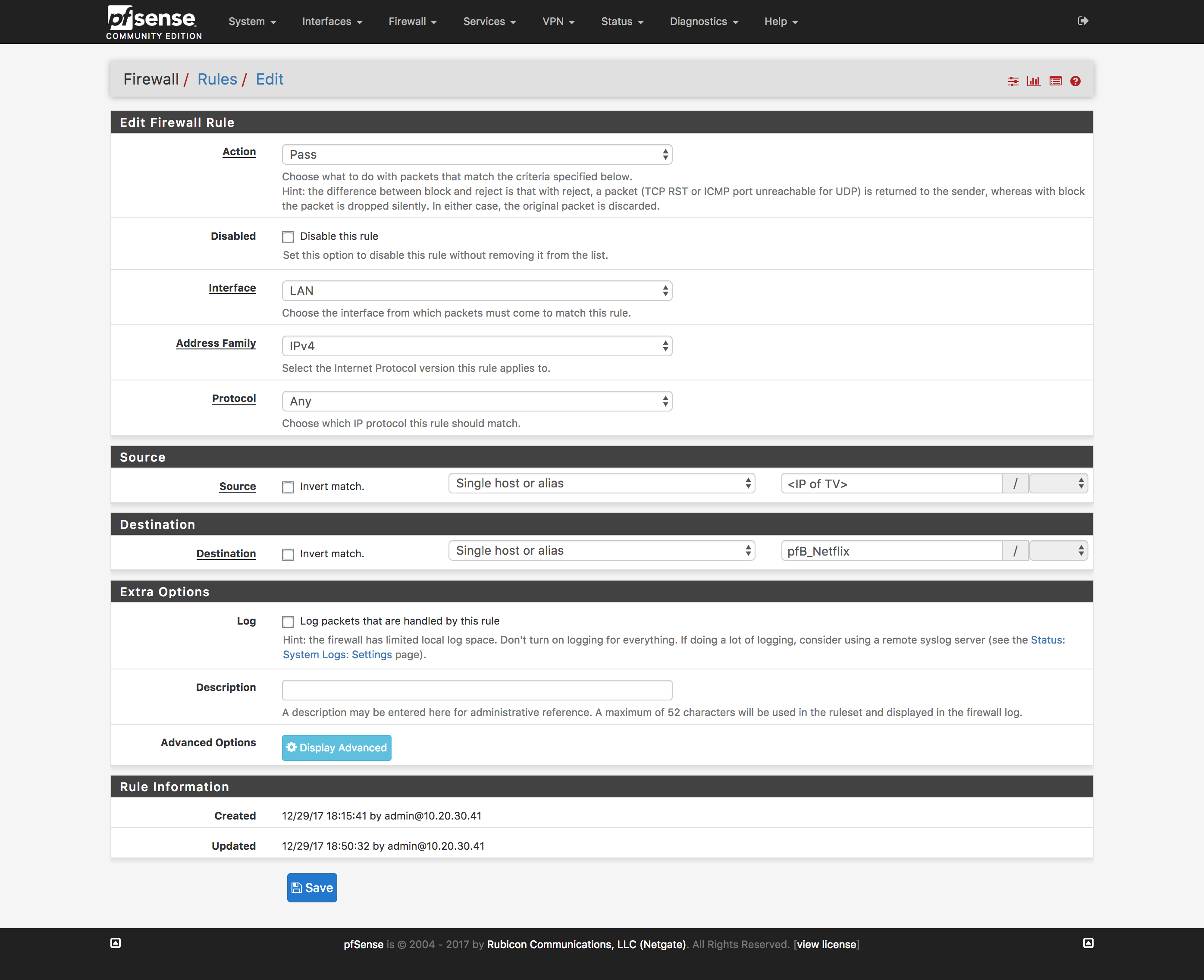
- Reload firewall rules to include the newly created rule
Verify it works
Test! You should be able to connect to Netflix with no angry “PROXY DETECTED!” errors.
Comments