Setting up a Nomad cluster with Portworx and Consul
02 Dec 2018The documentation currently available on the internet for using the Portworx stack for distributed block storage is pretty sparse, and tends to be out of date. Here’s a guide to setting it up using the most recent versions of all tools.
- Install your operating system of choice. I picked Ubuntu 18.04.1 LTS. Note that in order to use Portworx, you’ll need to pick a relatively mainstream distribution since Portworx downloads binaries built for specific Linux Kernels. I wanted to try out Intel’s Clear Linux but since Intel compiles their kernels with compiler and other optimizations, Portworx refused to install.
- Install docker-ce.
- Hashicorp’s guide to deploying a Consul cluster is very good, so I won’t bother reiterating it here.
- Install Portworx via runc to avoid a
circular dependency with docker. They make it very simple, you use docker to
download and install all the binaries and systemd units. My
docker runlooked liked this:sudo docker run --entrypoint /runc-entry-point.sh \ --rm -i --privileged=true \ -v /opt/pwx:/opt/pwx -v /etc/pwx:/etc/pwx \ portworx/px-dev:1.7.1.1 - Run the command to configure Portworx to work with Consul:
sudo /opt/pwx/bin/px-runc install -c dc1 \ -k consul://10.20.30.3:8500 \ -s /dev/nvme0n1 - Enable and start the portworx service:
sudo systemctl daemon-reload sudo systemctl enable portworx sudo systemctl start portworx - Check the Consul UI to make sure the
pwxkey-value store was created successfully: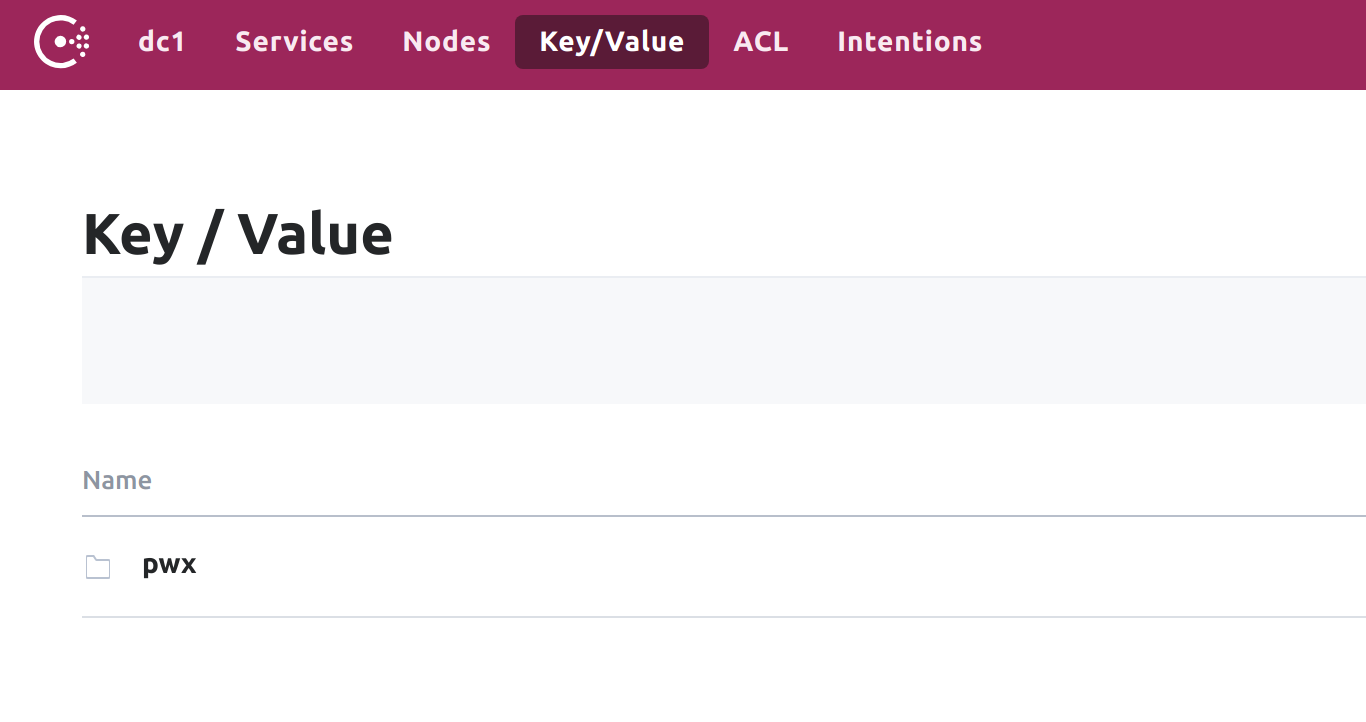
- Test! I used the example docker-compose.yml file from the Portworx runc
directions to create a wordpress instance with 3 replicas:
version: '2'

services:
   db:
     image: mysql:5.7
     volumes:
       - sqlvol:/var/lib/mysql
     restart: always
     environment:
       MYSQL_ROOT_PASSWORD: wordpress
       MYSQL_DATABASE: wordpress
       MYSQL_USER: wordpress
       MYSQL_PASSWORD: wordpress

   wordpress:
     depends_on:
       - db
     image: wordpress:latest
     ports:
       - "8000:80"
     restart: always
     volumes:
      - wpvol:/var/www/html
     environment:
       WORDPRESS_DB_HOST: db:3306
       WORDPRESS_DB_PASSWORD: wordpress
volumes:
  wpvol:
    driver: pxd
    external: false
    driver_opts:
       size: 7
       repl: 3
  sqlvol:
    driver: pxd
    external: false
    driver_opts:
       size: 6
       repl: 3